
Avant Homes: Live for WOW
HTML5 Display Production
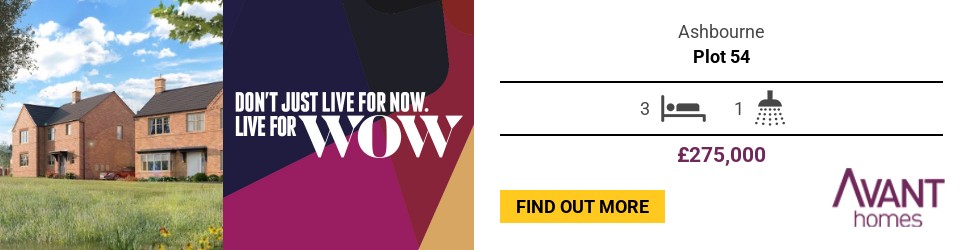
“Don’t just live for now. Live for WOW”: Avant Homes’ retargeting display, built as one Google Studio template that takes each plot’s picture, location, bedrooms, bathrooms and price from the housebuilder’s feed.
- Production scope
- HTML5 Display
- Brand
- Avant Homes
- Work shown
- 1 message · 5 formats · 5 stills
Don’t just live for now. Live for WOW.
Shown with an illustrative feed row: the build’s own design-time plot values and an Avant Homes development image from the same archive. No live or customer data is used.
The campaign
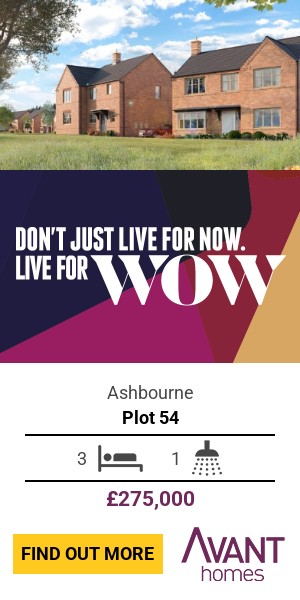
Someone who has looked at a plot is shown that plot again. The retargeting display for Avant Homes is a single dynamic template in five formats. The campaign line and brand panel are fixed; the photograph, location, plot, bedroom and bathroom counts and price are filled in from Avant’s product feed, and the click goes to that plot’s page.
Every size
The campaign in all five of its sizes.
Wide formats 2
970×250 
728×90
Compact formats 1
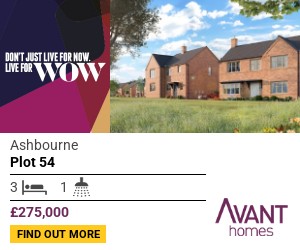
300×250
Portrait formats 2
300×600 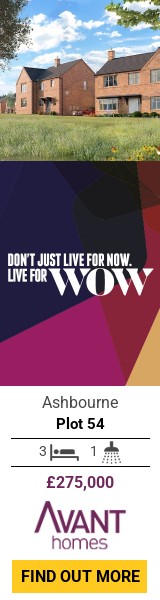
160×600
The production challenge
- One template, every plot: the layout has to hold any development name and any price, with no layout written for a particular plot.
- Five formats from one data model: 970×250, 728×90, 300×600, 300×250 and 160×600 all bind the same feed fields.
- A graceful default: when the feed returns nothing for a viewer, the default row shows the brand message with no plot data.
How it was built
- Google Web Designer with a Studio data provider and data binder: text and image fields bound to the feed, and the tap-through overridden to each plot’s own page.
- Feed fields bound in all five formats: location, bedrooms, bathrooms, price, image and plot URL.
- Fit-to-box text sizing, so long names and prices stay inside their panels. Static layouts: the dynamic part is the data.
One template that shows each visitor the home they looked at, in every format.
Credits
- Digital production: Punk My Pixel (the dynamic templates in Google Web Designer, bound to the Studio feed in all five formats, and the static backups)
- The creative design and the product feed were supplied.